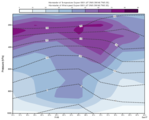
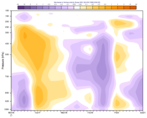
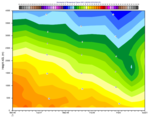
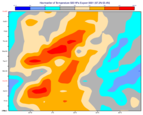
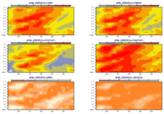
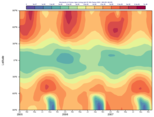
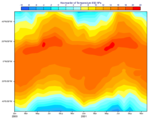
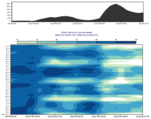
mhovmoellerview

Defines the view for Hovmoeller diagram plots from a suitable GRIB data source. It can also take the output from a Hovmoeller data object (mhovmoeller_area(), mhovmoeller_line() or mhovmoeller_vertical()) as an input. In this case, a consistency check is performed between the parameters that are common to both functions.
In addition to the parameters required for the Hovmoeller diagram computation, mhovmoellerview() specifies the axis details as well as the plot positioning in the plot frame of the display window/paper sheet and the overlay of different data units in the same plot.
To access the computed output values use a Hovmoeller data object.
For further details on the role and usage of views in the visualisation process, please see Anaylis Views.
Note
See also mhovmoeller_area(), mhovmoeller_line(), mhovmoeller_vertical() and mhovmoeller_expand().
Note
This function performs the same task as the Hovmoeller View icon in Metview’s user interface. It accepts its parameters as keyword arguments, described below.
- mhovmoellerview(**kwargs)
Defines the view for Hovmoeller diagram plots.
- Parameters
type ({"line_hovm", "area_hovm", "vertical_hovm"}, default: "line_hovm") –
Specifies the type of the Hovmoeller diagram to be produced. Options are:
”area_hovm”: diagram derived from an input rectangular area
”line_hovm”: diagram derived from an input transect line.
”vertical_hovm”: diagram derived from an input rectangular area and a set of levels.
input_mode ({"point", "nearest_gridpoint", "area"}, default: "area") –
Defines the horizontal data selection method for vertical Hovmoeller diagrams. Enabled when
typeis “vertical_hovm”. The possible options are as follows:”point”: the data is interpolated to the location specified by
point”nearest_gridpoint”: the nearest gridpoint to the location specified by
pointis extracted”area”: the values inside the
areaare averaged usingintegrate()
New in Metview version 5.16.0
point (list[number], default: [0, 0]) – Specifies the coordinates (as [lat, lon]) of the point for which the vertical Hovmoeller is computed. Enabled when
typeis “vertical_hovm” andinput_modeis “point” or “nearest_gridpoint”. New in Metview version 5.16.0line (list[number], default: [0, -180, 0, 180]) – Specifies the coordinates of a transect line along which the Hovmoeller diagram is calculated in [lat1, lon1, lat2, lon2] format. Enabled when
typeis “line_hovm”.area (list[number], default: [30, -30, -30, 30]) – Specifies the coordinates of the area (as [north, west, south, east]) over which the Hovmoeller diagram is calculated. Enabled when
typeis “area_hovm” or “vertical_hovm” (andinput_modeis “area”).area_statistics ({"mean", "minimum", "maximum", "stdev", "variance", "median"}, default: "mean") –
Specifies the type of computation performed in the
area:when
typeis “area_hovm” it is a computation along theaverage_direction. For “mean”, “stdev” or “variance” whenaverage_directionis “north_south” the aggregation is weighted by the cosine of the latitudes.when
typeis “vertical_hovm” andinput_modeis “area” it is a computation performed on all the gridpoints in thearea. For “mean”, “stdev” or “variance” the aggregation is weighted by the cosine of the latitudes.
Enabled when
typeis “area_hovm” or “vertical_hovm” (andinput_modeis “area”). New in Metview version 5.18.0average_direction ({"east_west", "north_south"}, default: "east_west") – Specifies the direction along which the computation defined in
area_statisticsis performed. When it is “north_south” andarea_statisticsis “average”, “stdev” or “variance” the aggregation is weighted by the cosine of the latitudes. Enabled whentypeis “area_hovm”.time_axis_mode ({"automatic_forwards", "automatic_backwards", "user"}, default: "user") –
Specifies the direction of the date/time axis. The options are as follows:
”user”: left/bottom date is taken from
date_minand the right/top date is taken fromdate_max.”automatic_forwards”: date limits are taken from the data and plotted left to right or bottom to top.
”automatic_backwards”: date limits are taken from the data and plotted right to left or top to bottom. This option has the same effect as “user” with default
date_minanddate_max.
date_min (str, default: "automatic") – Specifies the horizontal date minimum value. Default value “automatic” indicates that the minimum value will be taken from the input data.
date_max (str, default: "automatic") – Specifies the horizontal date maximum value. Default value “automatic” indicates that the maximum value will be taken from the input data.
bottom_level (number, default: 1015.0) – Specifies the lower (closest to the surface) limit of the Hovmoeller data in the units of the vertical coordinates. Only levels in the range defined by
top_levelandbottom_levelare included in the output data. An extra level on either side of this range is also added. Only used for vertical Hovmoeller diagrams (typeis “vertical_hovm”) whenvertical_level_typeis “pressure” or “param”.top_level (number, default: 0.01) – Specifies the upper (furthest from the surface) limit of the Hovmoeller data in the units of the vertical coordinates. Only levels in the range defined by
top_levelandbottom_levelare included in the output data. An extra level on either side of this range is also added. Only used for vertical Hovmoeller diagrams (typeis “vertical_hovm”) whenvertical_level_typeis “pressure” or “param”.swap_axes ({"no", "yes"}, default: "no") – By default, the definition of the vertical and horizontal axes of the Hovmoeller diagrams follows pre-defined rules. However, if
swap_axesis set to “yes” then the axes will be swapped around.resolution (number, default: 1.0) – Used to interpolate the data onto a regular grid, and applies to both the horizontal and vertical axes where appropriate. This parameter is essential for creating a Hovmoeller diagram from satellite data.
time_axis (
maxis()) –Specifies the characteristics of the time-series axis as an
maxis()object to be used in the plotting of the data. The followingmaxis()parameters are defined by the application; therefore, users should not change their values directly:axis_type(set to “date”),axis_date_min_valueandaxis_date_max_value(set according todate_minanddate_max, respectively), andaxis_orientation. Theaxis_orientationparameter is defined according to the following rules:if
typeis “line_hovm”, the value is set to “horizontal”.if
typeis “area_hovm” and average_direction` is “east_west”, the value is set to “horizontal”.if
typeis “area_hovm” andaverage_directionis “north_south”, the value is set to “vertical”.if
typeis “vertical_hovm”, the value is set to “horizontal”.
However, it is possible to change
axis_orientationvalue from its calculated default by settingswap_axesto “yes”. This option is not available for “vertical_hovm”.geo_axis (
maxis()) –Specifies the characteristics of the geographical axis as an
maxis()object to be used in the plotting of the data. The followingmaxis()parameters are defined by the application; therefore, users should not change their values directly:axis_min_valueandaxis_max_value(set according tolineorarea),axis_type,axis_tick_label_typeandaxis_orientation. Theaxis_typeandaxis_tick_label_typeparameters are defined according to the following rules:if
typeis “line_hovm”,axis_typeis set to “geoline”.if
typeis “area_hovm” andaverage_directionis “east_west”,axis_typeis set to “regular” and “axis_tick_label_type`` to “latitude”.if
typeis “area_hovm” andaverage_directionis “north_south”,axis_typeis set to “regular” andaxis_tick_label_typeto “longitude”.
Moreover,
axis_orientationparameter is defined according to the following rules:if
typeis “line_hovm”, the value is set to “vertical”.if
typeis “area_hovm” andaverage_directionis “east_west”, the value is set to “vertical”.if
typeis “area_hovm” andaverage_directionis “north_south” the value is set to “horizontal”
However, it is possible to change the
axis_orientationfrom its calculated default by settingswap_axesto “yes”.vertical_axis (
maxis()) – Specifies the characteristics of the level-series axis to be used in the plotting of the data. The followingmaxis()parameters are defined by the application; therefore, users should not change their values directly:axis_min_valueandaxis_max_value(set according to the input data set),axis_type,axis_tick_label_typeandaxis_orientation.vertical_level_type ({"as_in_data", "pressure", "user"}, default: "as_in_data") –
Specifies the output vertical level type for vertical Hovmoeller diagrams. Enabled when
typeis “vertical_hovm”. The possible options are as follows:”as_in_data”: the level type of
datais used. In this casetop_levelandbottom_levelmust always be set carefully, since their default values are set for pressure in hPa.”pressure”: indicates that the
datais defined on ECMWF model levels and the output vertical coordinate should be pressure in hPa. When this option is selected the input data must contain the corresponding Logarithm of Surface Pressure (LNSP) fields, unless a fixed surface pressure is used (seeuse_fixed_surface_pressure).”user”: the vertical coordinates (both input and output) are defined by the fields of
vertical_coordinate_param. In this casetop_levelandbottom_levelmust always be set carefully, since their default values are set for pressure in hPa. New in Metview version 5.16.0
lnsp_param (number, default: 152) – Specifies the ecCodes paramId used to identify the Logarithm of Surface Pressure (LNSP) in the input data. Only used for vertical Hovmoeller diagrams (
typeis “vertical_hovm”) whenvertical_level_typeis “pressure”.use_fixed_surface_pressure ({"on", "off"}, default: "off") – When it is “on” a fixed surface pressure value will be used in the computations and no LNSP fields have to be specified. Only used for vertical Hovmoeller diagrams (
typeis “vertical_hovm”) whenvertical_level_typeis “pressure”. New in Metview version 5.17.0fixed_surface_pressure (number, default: 1013.25) – Specify the fixed surface pressure value in hPa when
use_fixed_surface_pressureis “on”. Only used for vertical Hovmoeller diagrams (typeis “vertical_hovm”) whenvertical_level_typeis “pressure”. New in Metview version 5.17.0vertical_coordinate_param (number) – Specifies the ecCodes paramId used to identify the vertical coordinate fields in the input data. Only used for vertical Hovmoeller diagrams (
typeis “vertical_hovm”) whenvertical_level_typeis “user”. New in Metview version 5.16.0vertical_coordinate_extrapolate ({"on", "off"}, default: "off") – Performs and extrapolation for the
top_levelandbottom_levelwhen the output vertical level range does not contain these levels. Only used for vertical Hovmoeller diagrams (typeis “vertical_hovm”) whenvertical_level_typeis “pressure” or “user”. The purpose is to avoid blank areas in the plot near the bottom ot top. New in Metview version 5.16.0vertical_coordinate_extrapolate_mode ({"constant", "linear"}, default: "constant") – Specifies the extrapolation technique. In “constant” mode the values on the nearest input levels are copied onto the target extrapolated levels. In “linear” mode a linear extrapolation is performed using the nearest two input levels. Enabled when
vertical_coordinate_extrapolateis “on”. New in Metview version 5.16.0vertical_coordinate_extrapolate_fixed_sign ({"on", "off"}, default: "on") – When
vertical_coordinate_extrapolate_modeis “on” it controls whether the extrapolated values can differ in sign from the values on the nearest input levels. When it is “on” it prevents e.g. wind components to change sign due to extrapolation. New in Metview version 5.16.0vertical_scaling ({"linear", "log"}, default: "linear") – Specifies the type of the vertical axis .
subpage_clipping ({"on", "off"}, default: "off") – Clips plot to subpage borders.
subpage_x_position (number, default: 12) – Specifies the X offset of the plot from the left side of the plot frame (any subdivision of the display area). This is expressed as a percentage of the X-dimension of the plot frame.
subpage_y_position (number, default: 10) – Specifies the Y offset of the plot from the bottom side of the plot frame (any subdivision of the display area). This is expressed as a percentage of the Y-dimension of the plot frame.
subpage_x_length (number, default: 75) – Specifies the X length of the plot. This is expressed as a percentage of the X-dimension of the plot frame. Hence the sum of this X length plus the X offset cannot exceed 100 (it is advised that it does not exceed 95 since you need some margin on the right for things like axis or map grid labels).
subpage_y_length (number, default: 80) – Same as
subpage_x_lengthbut for the Y length of the plot.page_frame ({"on", "off"}, default: "off") – Toggles the plotting of a border line around the plot frame.
page_frame_colour (str, default: "charcoal") – Colour of the page frame. Available when
page_frameis “on”.page_frame_line_style ({"solid", "dot", "dash", "chain_dot", "chain_dash"}, default: "solid") – Line style of the page frame. Available when
page_frameis “on”.page_frame_thickness (number, default: 2) – Line thickness of the page frame. Available when
page_frameis “on”.page_id_line ({"on", "off"}, default: "off") – Toggles the plotting of plot identification line.
page_id_line_user_text (str) – Specifies user text to be added to the plot identification line. Only available when
page_id_lineis “on”.subpage_frame ({"on", "off"}, default: "off") – Toggles the plotting of a border line around the plot itself. In most cases you will want this to be left “on”. When “off” the sides of the plot not equipped with axis will not be plotted.
subpage_frame_colour (str, default: "black") – Colour of the subpage frame. Available when
subpage_frameis “on”.subpage_frame_line_style ({"solid", "dot", "dash", "chain_dot", "chain_dash"}, default: "solid") – Line style of the subpage frame. Available when
subpage_frameis “on”.subpage_frame_thickness (int, default: 2) – Line thickness of the subpage frame. Available when
subpage_frameis “on”.subpage_background_colour (str, default: "white") – Specifies the colour of the background of the plot (i.e. not affected by visual definitions like contour shadings or lines).
- Return type
Request